Give your NAS a
real operating system.
Manage files, storage, containers and virtual machines from your browser. OpenNAS runs on your own hardware, with a web desktop and tools for building your own apps.
Based on Alpine Linux - x86_64 - GPL-3.0-or-later
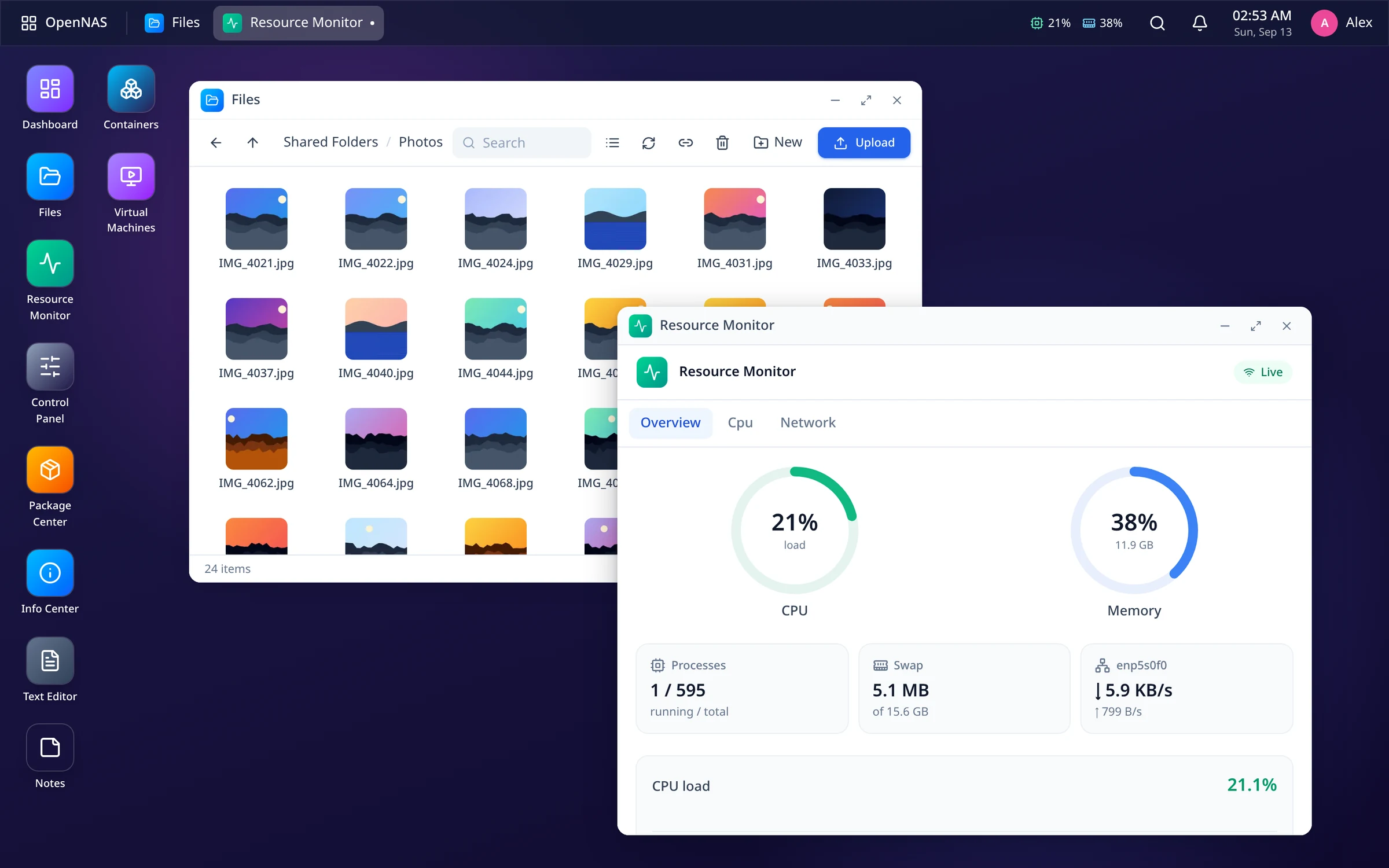
Files, storage and services in one place
Share files, check your disks and manage apps from the same desktop.
A desktop in your browser
Open apps in windows, switch between them from the taskbar and keep track of notifications. Includes light and dark themes.
File Station
Browse, upload and organize. Preview images, video, PDFs, DOCX and code. Zip, recycle bin, drag & drop.
Storage that checks itself
ZFS pools with RAIDZ and snapshots, software RAID, S.M.A.R.T. health and scheduled scrubs.
Containers
Manage Docker containers, images and Compose stacks, with live CPU/memory stats and logs.
Virtual machines
Create KVM/QEMU VMs, boot from ISOs, and open a full noVNC console right in the browser.
One-click apps
Install Jellyfin, Nextcloud, Pi-hole, Vaultwarden and more from Package Center in a single click.
Build your own apps
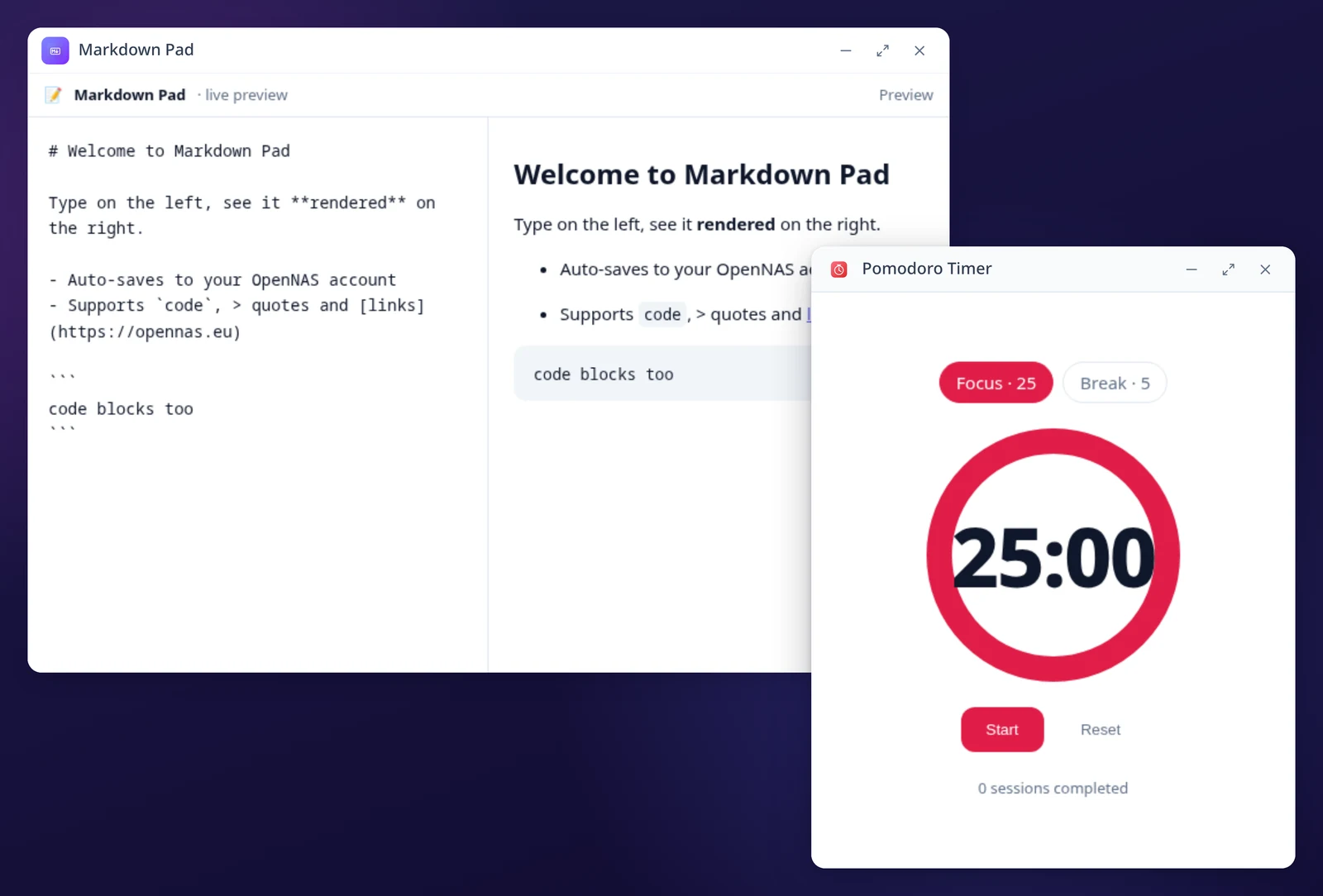
Build web apps with the SDK, choose their permissions and distribute them as signed packages.
Security and access
Passkeys, SSO, signed packages, password-protected share links and an unprivileged backend.
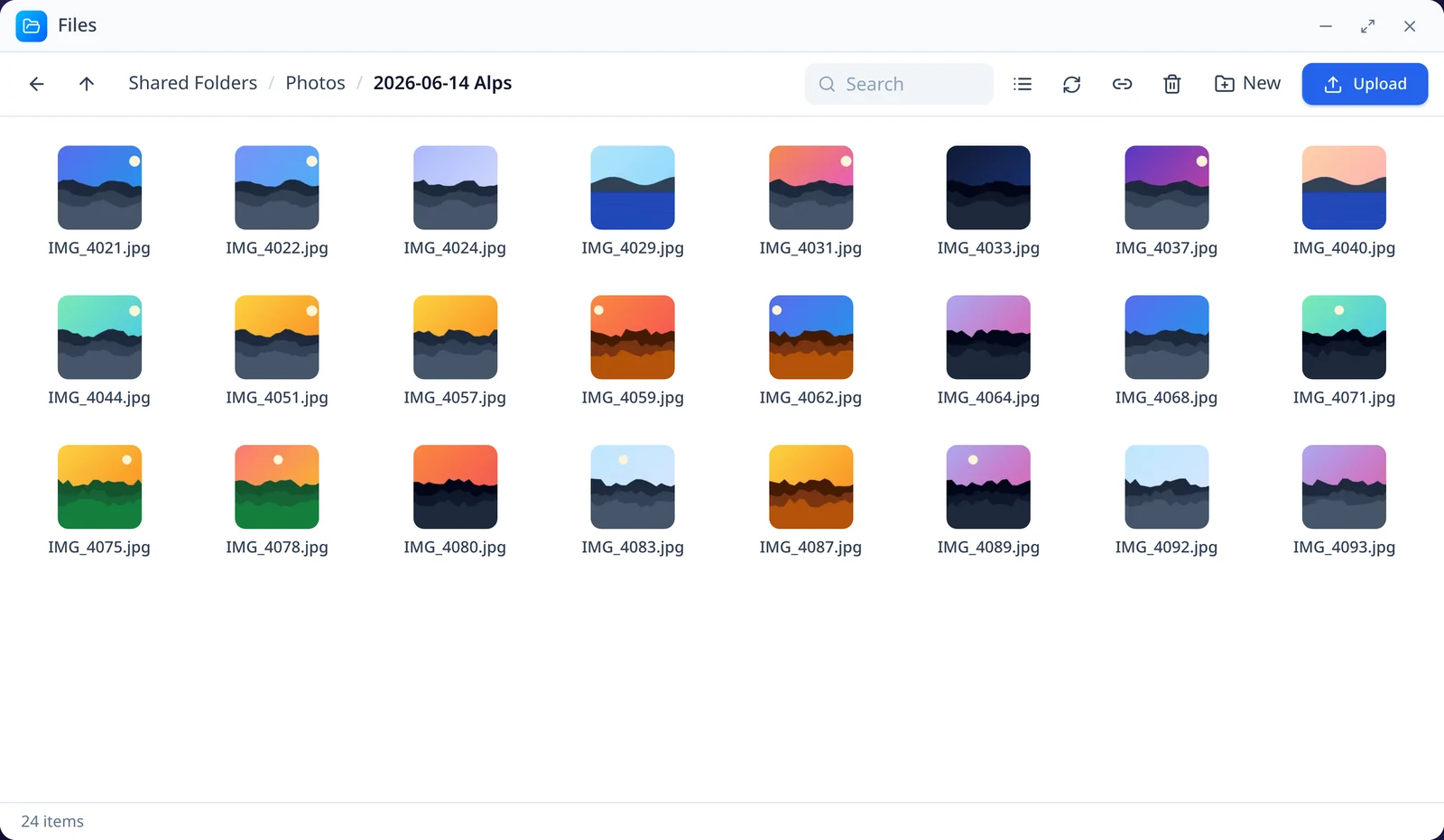
Browse and manage your files
Select, copy, move and search files in your browser. Preview images, video, audio, PDFs, DOCX documents and source code without downloading them first.
- Compress & extract ZIP archives
- Recycle bin with restore
- Public share links with expiry + password
- Drag-and-drop between folders
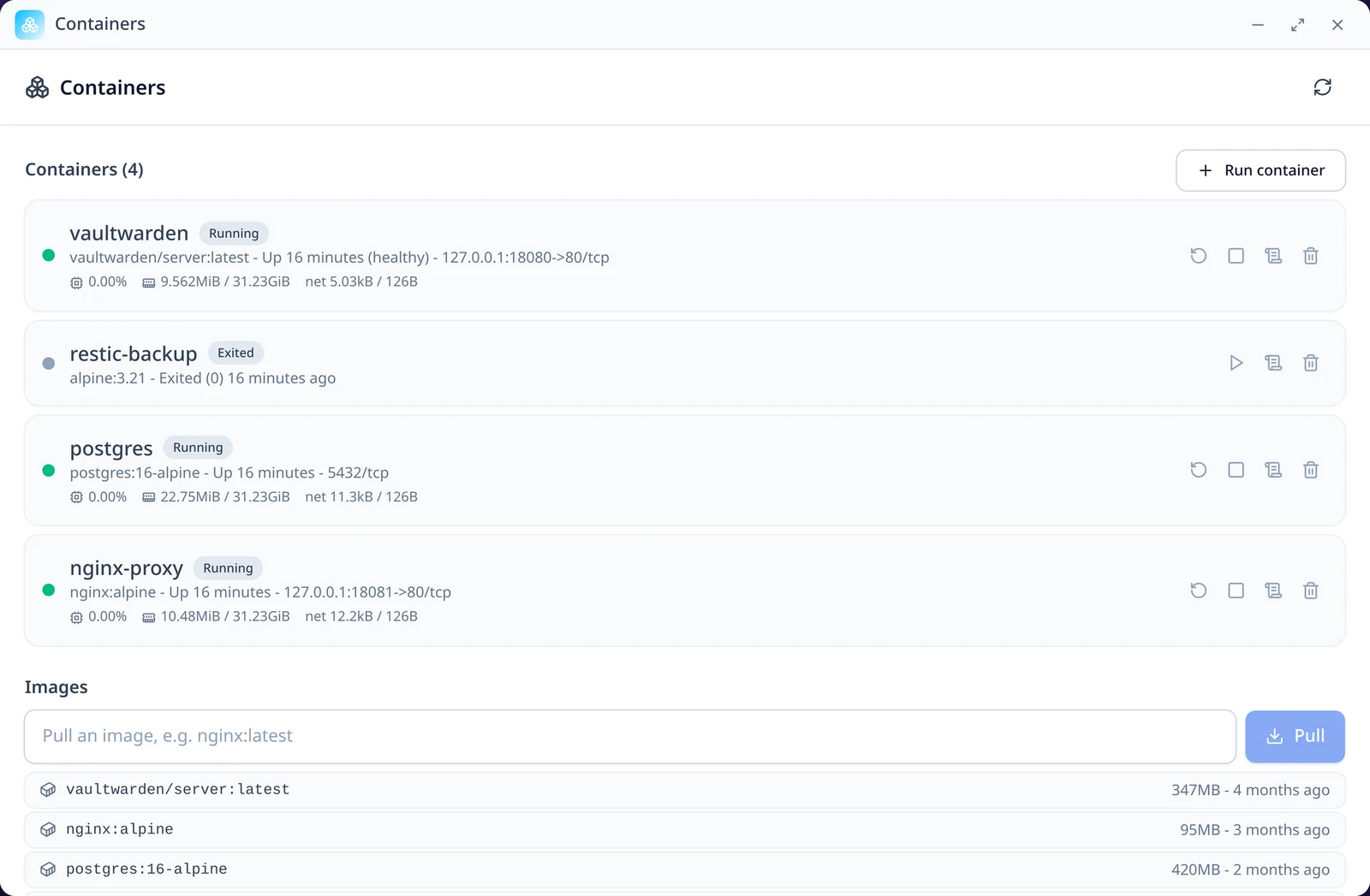
Install and manage self-hosted services
Install services from Package Center, manage Docker containers or import a Compose stack.
- Jellyfin, Nextcloud, Pi-hole, Vaultwarden...
- Live container stats, logs & lifecycle
- Import any docker-compose.yml
- Persistent data on the volume you choose
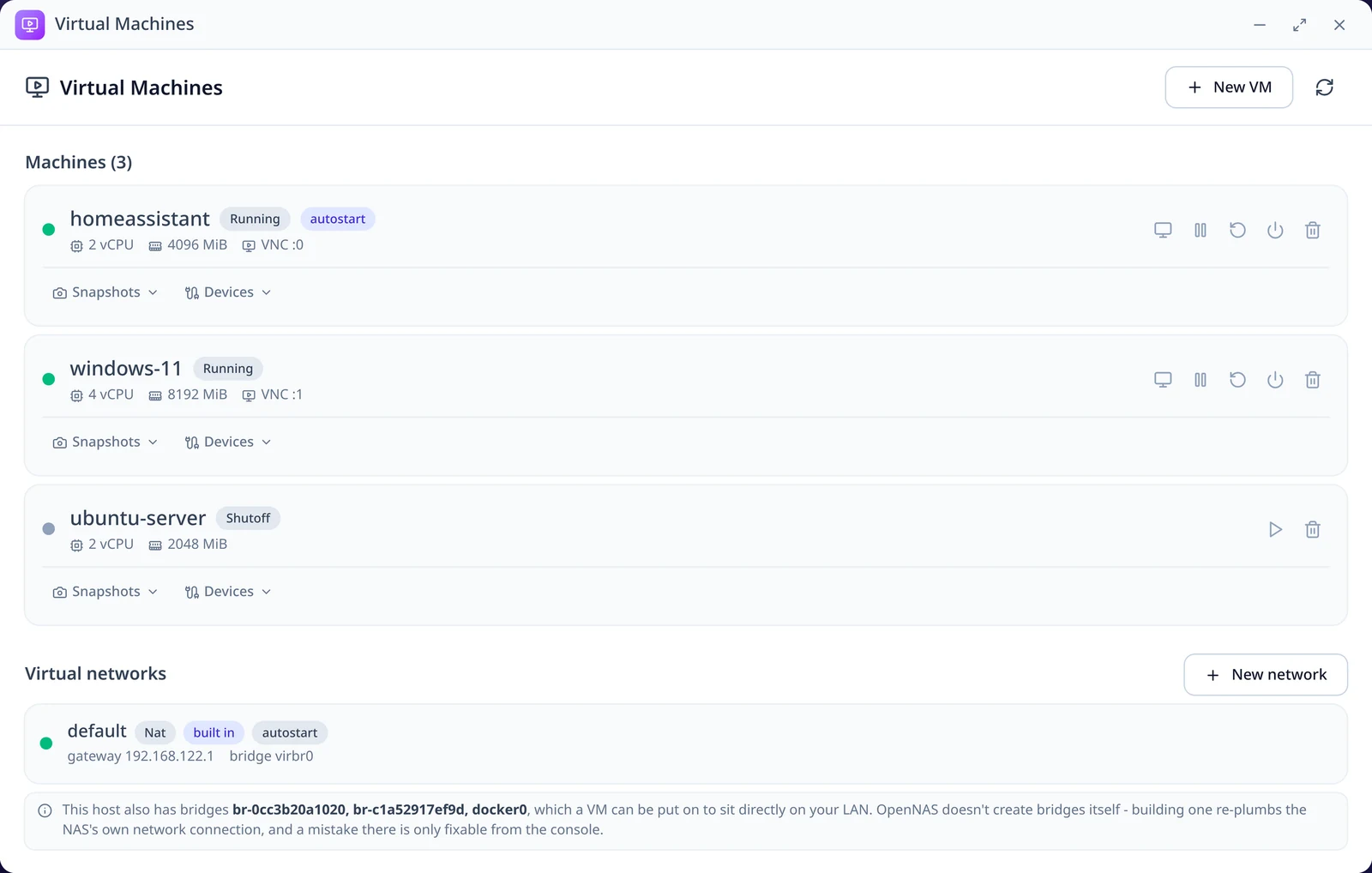
Manage VMs from your browser
Create KVM/QEMU virtual machines, choose disks and installation media, and use the browser console to complete setup.
- Create, start, stop and snapshot VMs
- Boot installers from your ISO library
- noVNC console, no client to install
- VNC bound to loopback, proxied & admin-gated
Build your own apps
Package a web app with the OpenNAS SDK, sign it and install it on your NAS. Apps run in a sandbox with the permissions you approve.
- Sandboxed iframes + a postMessage SDK
- Per-app storage, notifications & files
- ed25519 package signing + verification
- Publisher trust & one-click install
Your favourite self-hosted apps, one click away
Install Container Manager and VM Manager when you need Docker or virtual machines.
Control access to your NAS
Manage sign-in methods, review app publishers and choose how others access your files.
Passwordless login
Sign in with a WebAuthn passkey or connect an OIDC single sign-on provider.
Signed packages
Check Ed25519 signatures and publisher fingerprints before installing apps.
Share-link access controls
Set a password and expiry date for public share links.
Runs unprivileged
The backend runs without root privileges. System changes go through dedicated helpers.
A bootable NAS operating system
OpenNAS combines Alpine Linux with a guided installer and a web desktop. Write the installer image to a USB drive, boot your machine and follow the setup steps.
What we are working on
See the planned additions below, or visit the roadmap for current features and longer-term ideas.
Try OpenNAS on your hardware
Start with a spare machine, browse the source or help with development. OpenNAS is free software under the GPL.